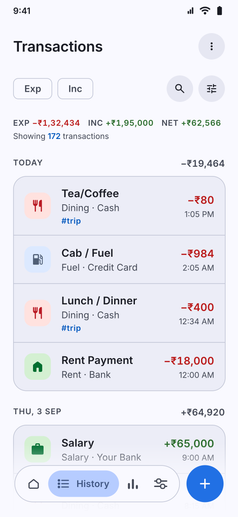
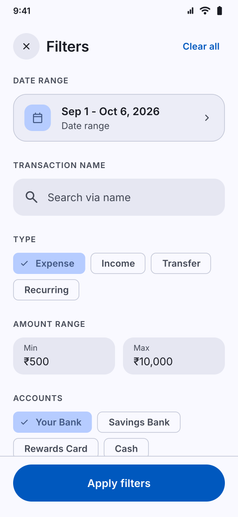
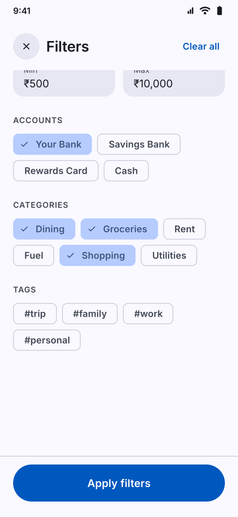
Drill into your spending with total precision. Kuber lets you filter your transactions however you want, combining multiple criteria without friction:
- Instant Keyword Search: Search across transaction names, notes, and merchant labels.
- Account & Category Filters: Multi-select specific accounts (Cash, Bank, Credit Card) and categories to view exact spending slices.
- Min / Max Amount Range: Set minimum and maximum thresholds to isolate big-ticket items or inspect small recurring charges.
- Tag Filtering: Isolate specific events or projects with custom tags like
#trip,#renovation, or#medical. - Custom Date Ranges: Select any date interval to compare past periods and audit specific timeframes.
- Type Toggles: Switch between Expenses, Incomes, Transfers, and Recurring items with one tap.
- Live Net Totals: As you filter, the summary header recalculates instantly, showing the exact transaction count, total expenses, total income, and net balance.