Mode
Accent

Saved on this device only. In the app, Kuber Signature is free and the other fifteen come with Pro.

Menu
ChangelogPrivacy PolicyGitHub
Get the app on Google Play

Expense Tracking

Add income, expenses and transfers in seconds, with autofill suggestions from your past transactions.
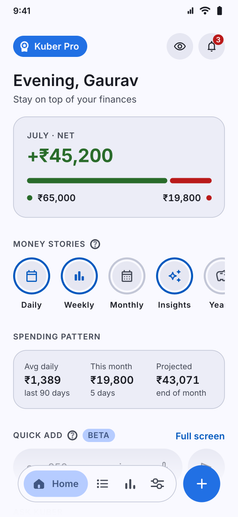
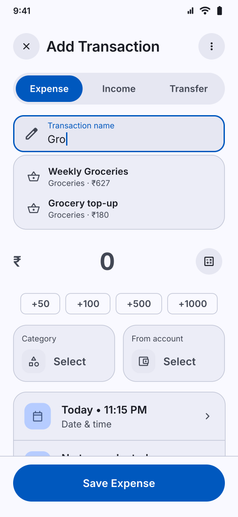
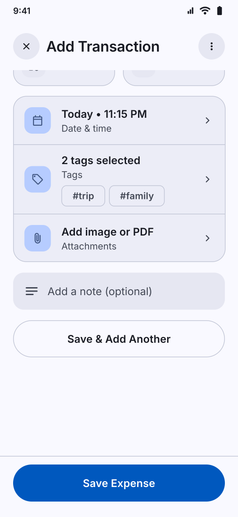
Expense Tracking screenshot: Kuber Home: balance, money stories, quick add and recent transactionsExpense Tracking screenshot: Add Transaction with an autofill suggestion while typingExpense Tracking screenshot: Add Transaction scrolled to date and time, tags, attachments and notes
  • Log income, expenses and transfers in seconds. As you type, Kuber suggests the category, account and merchant based on your previous transactions, so repeat entries are almost automatic. Recurring entries are supported too, and everything stays on your device.
  • You can also use the calculator button for complex transactions, or attach pdf or images to the transactions.
App navigation

Where to find Expense Tracking

Follow any of these navigation paths inside the Kuber Android app:

Option 1Quick Add FAB
  1. Bottom Navigation
  2. Tap + Button
Option 2Home feed
  1. Home tab
  2. Recent Transactions
  3. Tap any transaction
Option 3History feed
  1. History tab
  2. Tap any transaction or +