Mode
Accent

Saved on this device only. In the app, Kuber Signature is free and the other fifteen come with Pro.

Menu
ChangelogPrivacy PolicyGitHub
Get the app on Google Play

SMS Import

Signature

Turn bank and payment SMS into transactions, parsed on your phone and imported only when you say so.

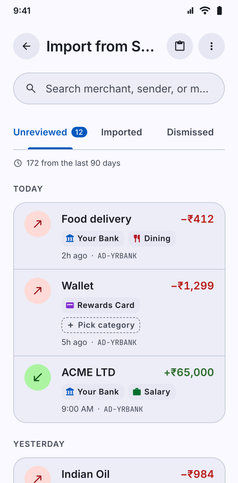
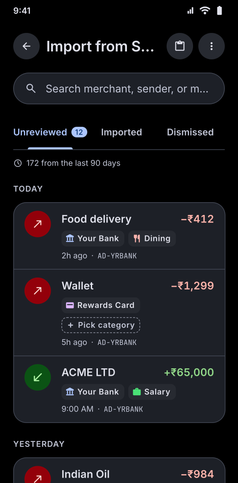
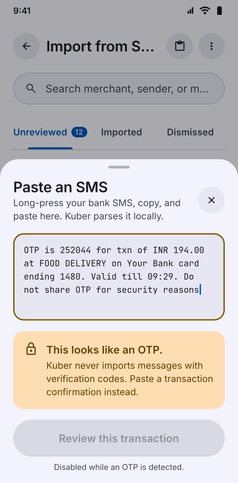
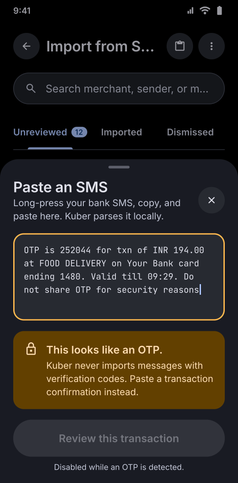
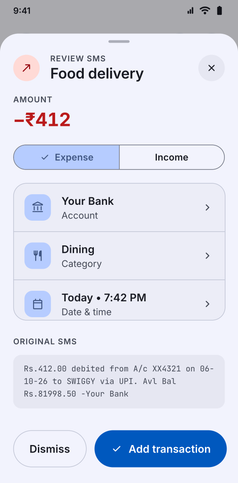
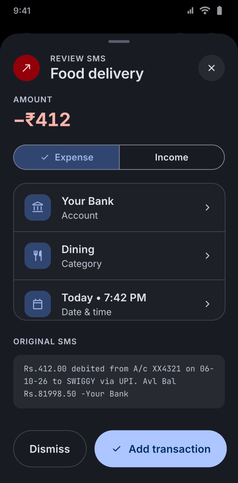
SMS Import screenshot: Import from SMS listing detected bank transactions to reviewSMS Import screenshot: Import from SMS listing detected bank transactions to reviewSMS Import screenshot: Paste an SMS sheet that detects an OTP message and skips itSMS Import screenshot: Paste an SMS sheet that detects an OTP message and skips itSMS Import screenshot: Review SMS sheet with the parsed amount, account, category and dateSMS Import screenshot: Review SMS sheet with the parsed amount, account, category and date

Kuber scans messages from recognised Indian bank and payment sender IDs, reads only transaction alerts, and parses the amount, type, date and merchant. You review the list and pick what to import. SMS is read on your phone and only when you open the screen, never in the background.

  • 15 Banks and UPI Apps: Alerts from HDFC Bank, State Bank of India, ICICI Bank, Axis Bank, Kotak Mahindra Bank, IndusInd Bank, Yes Bank, IDFC FIRST Bank, Bank of Baroda, Punjab National Bank, Canara Bank, Union Bank of India, Federal Bank, RBL Bank and AU Small Finance Bank, plus Paytm, PhonePe and Google Pay.
  • You Decide What Gets Imported: Scanning and reviewing are always free. The free plan imports 5 transactions a week. Kuber Pro makes it unlimited.
App navigation

Where to find SMS Import

Follow any of these navigation paths inside the Kuber Android app:

Option 1Direct menu
  1. More tab
  2. Import from SMS
Option 2Home widget
  1. Home tab
  2. SMS Import widget
If enabled in home widgets
Option 3In-app search
  1. More tab
  2. Search icon
  3. Type "SMS"