Ask Kuber
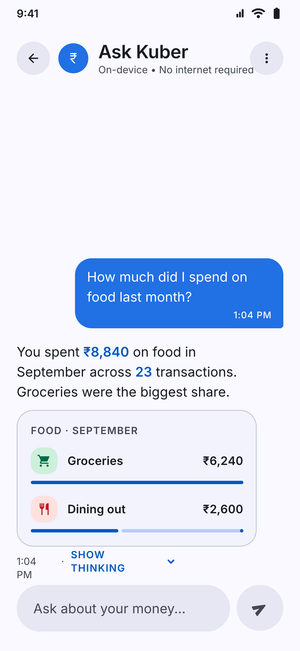
Ask about your money in plain words and get answers right on your phone. Or describe a transaction and Kuber drafts it for you to confirm.
Free: 5 questions a week. Pro: unlimited.
Learn more about Ask KuberTrack expenses, read your spending and stay on top of your money. No account, no cloud, no tracking. Your data never leaves your phone.
The same five ideas as the tour inside the app, from the first expense you note to the tools you use later.
Small expenses count too. Noting is easy, and bank SMS add most of them.
Bank, cash and cards, with billing cycles and due dates. Add any category.
Budgets, investments, loans, money lent or borrowed, and subscriptions.
Every transaction in one searchable history, with many ways to analyze it.
Ask about your money in plain words and get answers right on your phone. Or describe a transaction and Kuber drafts it for you to confirm.
Free: 5 questions a week. Pro: unlimited.
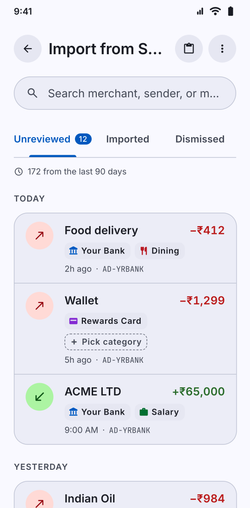
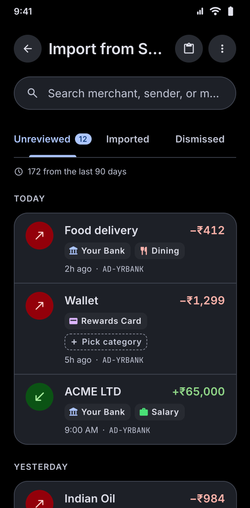
Learn more about Ask KuberTurn bank and payment SMS into transactions, parsed on your phone and imported only when you say so.
Free: 5 imports a week. Pro: unlimited.
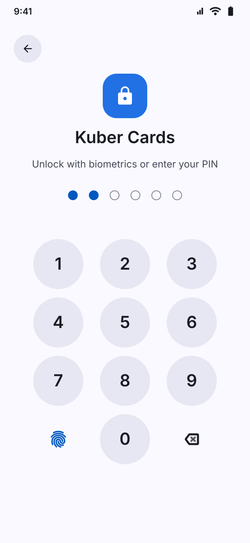
Learn more about SMS ImportStore your payment card details encrypted on your phone, locked behind your PIN or biometrics. No network, ever.
Free: 2 cards. Pro: unlimited.
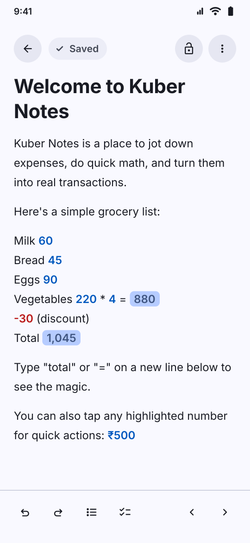
Learn more about Kuber CardsA smart notepad that does the math. Type 'total' or '=' to add up, and tap a number to log it as a transaction, loan or ledger entry.
Free: 2 notes. Pro: unlimited.
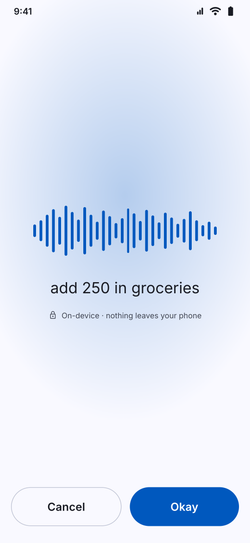
Learn more about Kuber NotesSay what you spent and Kuber logs it. Built into Quick Add for hands-free tracking.
Learn more about Voice Quick AddPick an accent family and Kuber recolors, income and expense included. Tap a theme below to try it. The whole site changes with you.
Bank names are shown for reference only. Kuber is not affiliated with these banks.
Kuber is built and maintained by Gautam Rajeev Singh, a developer from India. It started because no expense app felt fast, private and simple enough for daily use. So he built one.