Mode
Accent

Saved on this device only. In the app, Kuber Signature is free and the other fifteen come with Pro.

Menu
ChangelogPrivacy PolicyGitHub
Get the app on Google Play

Kuber Notes

Signature

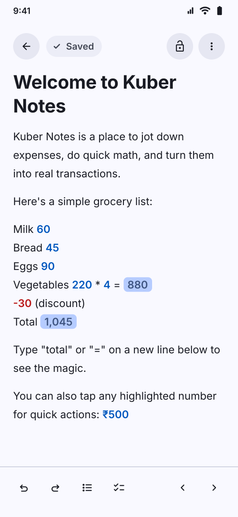
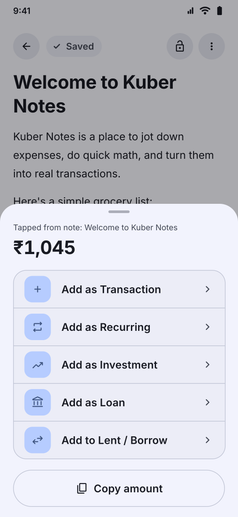
A smart notepad that does the math. Type 'total' or '=' to add up, and tap a number to log it as a transaction, loan or ledger entry.

Kuber Notes screenshot: Kuber Notes adding up a grocery list, with the total worked out inlineKuber Notes screenshot: Tapping a number in Kuber Notes to add it as a transaction, loan or more

Kuber Notes works just like a familiar notepad, but with powerful financial arithmetic built right into your text.

  • Inline Calculations: Write expressions, discounts, or quantities like 220 * 4 = and watch Kuber compute the result as you type.
  • Smart Totals: Type "total" or "=" on a new line and Kuber smartly calculates the sum of your listed items.
  • One-Tap Actions: Tap any highlighted number or calculated total to instantly convert it into a transaction, a loan, or a lent/borrowed ledger entry.
  • Private & Protected: Your notes live strictly on your device and can be secured with biometrics or app lock.
App navigation

Where to find Kuber Notes

Follow any of these navigation paths inside the Kuber Android app:

Option 1Direct menu
  1. More tab
  2. Kuber Notes
Option 2Home widget
  1. Home tab
  2. Notes widget
If enabled in home widgets
Option 3In-app search
  1. More tab
  2. Search icon
  3. Type "Notes"