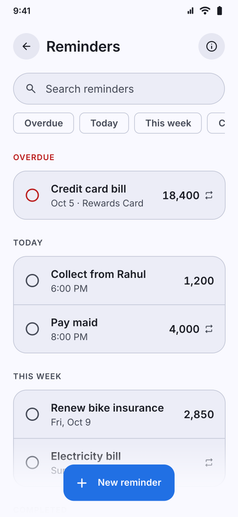
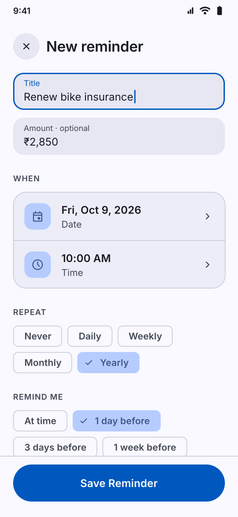
Never miss a bill, salary payout, or EMI deadline with custom financial reminders:
- Track Anything Money-Related: Schedule nudges for credit card bills, rent, maid salaries, loan EMIs, subscription renewals, or money you are owed.
- Amounts, Types, and Categories: Attach optional amounts, toggle between Expense and Income, assign categories, and add memory notes for full context.
- Custom Times and Repeat Rules: Set exact alert dates and times, with flexible repeat options (daily, weekly, monthly) for regular obligations.
- Smart Filter Chips and Search: Review what is coming up at a glance with one-tap filters for
All,Overdue,Today,This week, andCompleted, plus instant keyword search. - Private On-Device Notifications: Alerts are scheduled locally on your phone through Android system notifications, keeping your payment schedules completely private.